

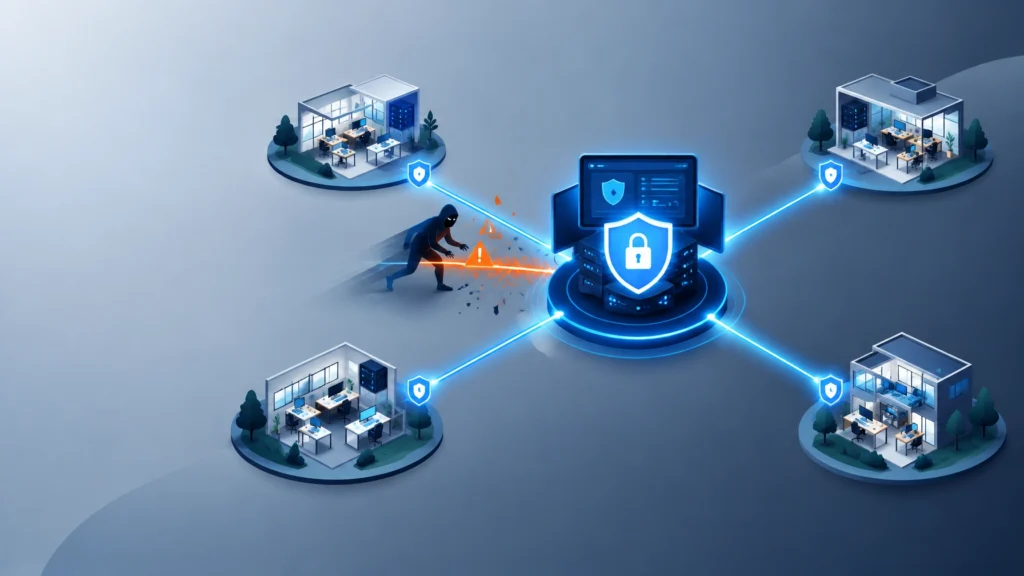
You may have strong passwords, a modern firewall, and antivirus installed on every computer. But if your IT provider’s remote management platform is compromised, an attacker may not need to break through your defenses one business at a time.
They may be able to use the provider’s trusted access.
That is the central risk behind an MSP supply-chain attack. Managed service providers use remote monitoring and management tools: commonly called RMM platforms: to monitor systems, install updates, troubleshoot computers, run scripts, and respond to problems remotely. These tools are essential for efficient managed IT services, but they also concentrate significant power in one place.
If attackers compromise the RMM platform, the provider, or a privileged provider account, they may gain a path into multiple customer environments.
Recent attacks involving N-able’s N-central platform have brought that risk into sharp focus. In August and September 2026, security advisories described actively exploited authentication-bypass and remote-code-execution vulnerabilities affecting N-central environments. The New York Department of Financial Services warned that attackers could compromise MSP infrastructure, establish persistence, and move laterally into customer networks with administrator privileges.
This does not mean that every MSP or RMM tool is unsafe. It means business owners need to ask better questions about how their provider manages access, detects threats, applies updates, and responds when something goes wrong.
Your IT provider should not be a black box between your business and your security. A trusted partner can explain how access works, how it is monitored, and what happens when the unexpected occurs.
What an MSP supply-chain attack looks like
A supply-chain attack occurs when criminals compromise a trusted supplier, service, software platform, or technology partner to reach the organizations that depend on it.
For an SMB, the chain may look like this:
- An attacker discovers a vulnerability in an RMM platform or compromises an MSP administrator account.
- The attacker gains control of the provider’s management console.
- The attacker uses existing trust relationships to access customer endpoints, servers, or networks.
- The attacker deploys malware, steals credentials, changes configurations, or creates additional access.
- The attacker moves through the customer environment, often appearing to use legitimate administrative tools.
This is why RMM platforms are attractive targets. They are designed to perform powerful actions across many systems. Depending on the environment, an RMM tool may be able to:
- Install software or security updates.
- Run commands and scripts.
- Restart or reconfigure devices.
- Access servers and workstations.
- Change security policies.
- Collect system information.
- Connect to multiple customer networks.
An attacker who gains control of that tool may not need to deploy a suspicious new program. They may be able to misuse a tool that your security team already trusts.
The risk is similar to giving one keyholder access to several buildings. The key itself is useful and necessary. The concern is what happens if the keyholder’s access system is compromised, poorly monitored, or never updated.
Why the N-central vulnerabilities matter to SMBs
The N-central incidents are a practical example of the broader problem.
Public advisories in 2026 described multiple serious vulnerabilities in N-central, including authentication-bypass flaws that could allow unauthorized access and a critical pre-authentication remote-code-execution vulnerability affecting on-premises systems. The flaws were significant because N-central is not simply a standalone application. It is used by MSPs to manage customer environments.
The New York State Department of Financial Services cyber threat alert described attackers moving from compromised MSP infrastructure into customer networks. The CISA Known Exploited Vulnerabilities Catalog is also an important resource for understanding why organizations should prioritize vulnerabilities being exploited in real-world attacks, rather than relying only on severity scores.
For an SMB, the lesson is not “stop using managed IT services.” Most small and medium-sized businesses need outside expertise to manage networks, endpoints, backups, security tools, and updates effectively.
The lesson is this:
Outsourcing IT does not outsource risk. It changes how risk must be understood, documented, and managed.
Your provider should be able to explain:
- Which remote management tools are installed in your environment.
- Who can access those tools.
- What permissions those users have.
- How provider activity is logged.
- How quickly critical vulnerabilities are patched.
- How you will be notified if the provider or its tools are compromised.
- How your business can continue operating if the provider’s systems are unavailable.
The following five questions can help you evaluate those practices.

1. Which remote management tools can access our systems, and what can they do?
Start with visibility.
Ask your IT provider to identify every RMM, remote access, monitoring, scripting, and administrative tool that can connect to your environment. You should know the product name, what systems it touches, what functions it performs, and whether it is operated by your provider or a subcontractor.
A vague answer is a warning sign. “We use our standard tools” is not enough. You should receive a clear explanation of:
- The RMM platform or platforms in use.
- The endpoints, servers, and network devices under management.
- Whether the tool has administrator privileges.
- Which provider employees or teams can use it.
- Whether subcontractors or third parties have access.
- Where logs are stored.
- Whether the tool can run scripts or install applications.
- How unused tools are removed.
This matters because unmanaged remote access tools can become “shadow IT” inside your environment. An employee may install a consumer remote desktop application to solve a problem quickly. A former provider may leave an old agent active. A subcontractor may use a separate platform that your internal team does not know about.
Ask your provider to maintain an up-to-date inventory of all authorized remote access software. You should also be able to request a list of active provider accounts and administrative connections.
What a good answer sounds like
A strong provider will describe a controlled toolset and show that access is intentional.
For example:
“We use a documented RMM platform for managed endpoints. Administrative access is limited to specific technicians, protected by MFA, logged, and reviewed. We do not permit unauthorized remote access tools. When a tool is no longer needed, it is removed through our offboarding process.”
That answer does not eliminate risk, but it demonstrates control.
Red flags
Be cautious if your provider:
- Cannot name all tools with access to your network.
- Allows technicians to use personal or consumer remote access tools.
- Does not maintain a current asset and software inventory.
- Gives every technician broad administrator access.
- Cannot explain how former employees lose access.
- Treats questions about remote tools as an inconvenience.
If you are considering IT support for small businesses in Connecticut, this should be one of the first conversations you have with a prospective provider.
2. How do you protect and limit privileged access?
RMM software is only one part of the access equation. The accounts used to operate that software are equally important.
Ask your provider how it protects privileged accounts and whether it follows the principles of multifactor authentication, least privilege, and network segmentation.
At a minimum, provider access should include:
- MFA for all remote and administrative accounts.
- Separate administrative accounts instead of shared credentials.
- Unique access paths for each customer.
- No reused administrator passwords across clients.
- Time-limited or just-in-time access where practical.
- Regular reviews of active accounts and permissions.
- Immediate removal of access when an employee changes roles or leaves.
- Restrictions on where administrative interfaces can be reached.
The goal is to prevent one compromised account from becoming a master key.
A technician who only needs to manage workstations should not automatically have access to every server, financial application, backup system, and cloud administrator account. The principle of least privilege means each person receives only the access required for the work they perform.
Network segmentation adds another layer. If an attacker compromises one workstation through an RMM tool, segmentation can make it harder to move into accounting systems, domain controllers, backup infrastructure, or other critical resources.
The joint CISA advisory on protecting MSPs and their customers recommends MFA, least privilege, account reviews, network segregation, and clear customer-provider responsibilities.
What a good answer sounds like
A mature provider should be able to explain the difference between:
- Technician access and senior administrator access.
- Routine support access and emergency access.
- Access to an endpoint and access to your entire environment.
- The provider’s internal network and your business network.
They should also be willing to document these controls in your agreement or security plan.
Red flags
Watch for statements such as:
- “Our technicians all use one shared administrator account.”
- “MFA is not necessary because our technicians are trusted.”
- “Everyone needs full access so we can respond quickly.”
- “We do not separate customer environments.”
- “We will remove access when we get around to it.”
- “Our remote tool is secure, so permissions do not matter.”
Security is not based on trusting individuals alone. It is based on designing systems so that one mistake or compromised account has a limited blast radius.
3. How quickly do you patch your own tools, and do you perform vulnerability scanning?
Your provider may be responsible for patching your computers, servers, firewalls, and applications. But who patches the provider’s own systems?
This question became especially important during the N-central incidents. A provider can maintain excellent patch schedules for customer endpoints while failing to update the platform that controls those endpoints.
Ask about the provider’s internal vulnerability management process:
- How are security advisories monitored?
- Who determines whether a vulnerability affects the provider?
- How are critical patches prioritized?
- What is the target remediation time for actively exploited vulnerabilities?
- Are internet-facing systems scanned regularly?
- Are internal systems scanned as well?
- Are patches tested before deployment?
- What happens when a patch cannot be applied immediately?
- How are exceptions documented and reviewed?
You should also ask whether your own environment receives regular vulnerability scanning. Scanning is not the same as protection, but it helps identify exposed services, outdated software, weak configurations, and known vulnerabilities before attackers find them.
A useful vulnerability management program combines:
- Asset discovery : knowing what exists.
- Vulnerability scanning : identifying weaknesses.
- Risk prioritization : focusing on what matters most.
- Remediation : patching or mitigating the issue.
- Verification : confirming the fix worked.
- Reporting : documenting the result.
Do not accept a report that only lists hundreds of vulnerabilities without explaining what will happen next. A good provider should help you understand which findings are urgent, which are lower risk, and which require a business decision.
What a good answer sounds like
A reliable provider will have a documented maintenance and patching process. They can explain how they track vendor advisories, how they respond to known exploited vulnerabilities, and how they communicate urgent actions to customers.
They should also distinguish between routine maintenance and emergency remediation. A critical vulnerability in an internet-facing management platform may require immediate action, even if the normal maintenance window is weeks away.
FoxPowerIT’s quarterly maintenance and live backup testing service reflects an important principle: updates should be paired with testing. Security updates matter, but so does verifying that systems and backups continue to work afterward.
Red flags
Be cautious if a provider:
- Patches only when something breaks.
- Cannot explain its internal patching process.
- Does not scan internet-facing systems.
- Provides vulnerability reports without remediation plans.
- Treats critical advisories as optional.
- Cannot tell you whether your RMM environment was exposed during a major incident.
4. What do you monitor, what do we get to see, and how quickly will you notify us?
You cannot respond to an attack you cannot see.
Ask your provider what events are monitored across both your environment and the provider’s own access infrastructure. Monitoring should go beyond checking whether a computer is online.
Effective network monitoring may include:
- Unusual login attempts.
- Failed MFA attempts.
- New administrator accounts.
- Unexpected privilege changes.
- New remote access tools.
- Large or unusual data transfers.
- Suspicious scripts executed through RMM software.
- Devices communicating with unfamiliar destinations.
- Changes to firewall or security settings.
- Unusual activity outside normal business hours.
- Attempts to disable security software.
- Unexpected changes to backup systems.
Ask whether provider actions are logged in a way your business can review. CISA’s guidance recommends that important logs be retained for at least six months and that customers receive appropriate visibility into provider presence, activities, and connections.
You do not necessarily need to review every log yourself. But you should know:
- What is collected.
- How long it is retained.
- Who reviews it.
- What triggers an investigation.
- Whether logs can be provided during an incident.
- How suspicious activity is escalated.
- Which security events will be reported to you.
The notification process deserves special attention. Your contract should explain what happens if the provider suspects that its management platform, employee accounts, or internal network has been compromised.
Ask:
- Who will contact us?
- How quickly will we be notified?
- Will notification occur after confirmation, or when there is credible suspicion?
- What information will be shared?
- Who makes containment decisions?
- Will the provider help preserve evidence?
- Who is responsible for legal, regulatory, and insurance notifications?
What a good answer sounds like
A transparent provider will not promise that an incident can never happen. Instead, it will explain how an incident is detected, contained, investigated, and communicated.
That is a sign of integrity. Reliability is not the absence of every problem. It is the ability to respond responsibly when problems occur.
Red flags
Be cautious if:
- The provider says monitoring is “included” but cannot define it.
- You receive no information about provider log retention.
- There is no written incident notification timeline.
- The provider refuses to explain its escalation process.
- Logs are controlled entirely by the provider with no customer visibility.
- The contract says the provider will notify you only after an incident is “fully confirmed.”
In a fast-moving attack, waiting for perfect certainty can cost valuable time.

5. If your tools or provider are compromised, how will our business recover?
Prevention is essential. Recovery is also essential.
Even a well-managed provider can be affected by a zero-day vulnerability, credential theft, operational mistake, or outage. Your business needs a plan that does not depend on every part of the IT supply chain working perfectly.
Ask your provider how it protects and tests your backups, and whether your backups are isolated from the systems used to manage your environment.
A strong data protection strategy should consider:
- Multiple backup copies.
- Separate backup locations.
- Encryption.
- Restricted backup administrator access.
- Protection against unauthorized deletion.
- Offline or isolated recovery options.
- Defined recovery time objectives.
- Defined recovery point objectives.
- Regular restoration testing.
- Documented recovery procedures.
Backups connected to the same compromised administrator account may be vulnerable to deletion or encryption. That is why backup isolation and separate credentials matter.
Testing is equally important. A backup that has never been restored is an assumption, not proof of recoverability.
Ask your provider to demonstrate:
- How a file is restored.
- How an entire workstation is rebuilt.
- How a server is recovered.
- How recovery works if the RMM platform is unavailable.
- How the business communicates during an outage.
- How recovery priorities are determined.
FoxPowerIT’s data protection and backup services and backup and BCDR solutions are designed around this broader concept: keeping data available, recoverable, and protected when ordinary systems are disrupted.
Do you have a manual fallback?
One overlooked question is what happens if your provider’s RMM platform must be taken offline.
Can the provider still:
- Contact customers through an alternate communication channel?
- Apply critical patches manually?
- Access emergency documentation?
- Restore systems using a separate recovery process?
- Support priority customers without the normal management console?
- Provide a current list of your systems, configurations, and recovery contacts?
This is where documentation becomes a security control. If all knowledge about your environment exists only inside the provider’s platform, your business may be unable to act when that platform is unavailable.
What a good answer sounds like
A prepared provider will have a business continuity and incident response plan that includes an MSP or RMM compromise scenario. The plan should identify responsibilities, communication methods, backup access, recovery priorities, and decision-makers.
It should also be tested. A tabletop exercise can reveal problems before a real incident does.
Red flags
Be cautious if:
- Backups are not tested.
- The provider cannot explain backup isolation.
- Recovery depends entirely on the same RMM platform.
- You do not have copies of critical recovery documentation.
- There is no plan for provider outage or compromise.
- The provider promises backup protection but cannot demonstrate a restore.
Defense in depth: your provider should be one layer, not your only layer
The best response to MSP supply-chain risk is not to depend on one security control.
Defense in depth cybersecurity means using multiple layers so that the failure of one control does not automatically become a business-ending event.
Your layers may include:
- Strong identity security : MFA, password management, and protected administrator accounts.
- Least privilege : limiting what users, technicians, and tools can do.
- Network segmentation : separating critical systems from general workstations.
- Endpoint security : antivirus, antimalware, application controls, and device hardening.
- Network security : firewalls, intrusion prevention, secure Wi-Fi, and network monitoring.
- Vulnerability management : scanning, patching, and verification.
- Logging and detection : reviewing activity that may indicate compromise.
- Data protection : isolated, encrypted, and tested backups.
- Incident response : clear roles, communication, and recovery procedures.
- Vendor oversight : reviewing your MSP’s security practices and contract commitments.
This approach is especially important for businesses that need cybersecurity services for small business in Connecticut but do not have a full-time internal security department.
No single product can replace a coordinated process. An RMM platform can help keep systems updated. Network monitoring can identify unusual activity. Vulnerability scanning can find weaknesses. Backups can support recovery. But these controls must work together.
What to include in your MSP agreement
Security expectations should not exist only in a sales conversation. Put them in writing.
Your agreement should clearly define:
- Which systems the provider manages.
- Which security services are included.
- Which services are excluded.
- Required MFA and access controls.
- Least-privilege expectations.
- Logging and monitoring responsibilities.
- Vulnerability scanning and patching timelines.
- Backup and recovery requirements.
- Incident notification deadlines.
- Customer and provider responsibilities.
- Subcontractor access.
- Data ownership and retention.
- Offboarding procedures.
- Return or deletion of data.
- Access removal when the relationship ends.
- Support expectations during a provider outage.
The CISA ICT Supply Chain Risk Management resource hub for SMBs recommends a practical process: identify supply-chain risks, develop a resilient plan, and use a consistent vendor-vetting process.
You do not need a 100-page questionnaire to begin. Start with the five questions in this article. Then ask your provider to document the answers.
How FoxPowerIT approaches the trusted-partner relationship
A managed IT provider should be more than a help desk that responds after a problem appears.
At FoxPowerIT, the goal is to serve as a trusted technology partner for small and medium-sized businesses. That means combining responsive IT support with proactive network security, data protection, infrastructure management, and maintenance.
The relevant services are connected:
- Managed IT services provide ongoing support and strategic guidance.
- Network security and infrastructure help protect the systems through which your business operates.
- Network monitoring and security monitoring improve visibility into unusual activity.
- Vulnerability scanning and security assessments help identify weaknesses before attackers exploit them.
- Maintenance and updates reduce exposure to known vulnerabilities.
- Data protection and backup support recovery when systems are disrupted.
- Live backup testing helps verify that recovery is possible, not merely promised.
Most importantly, the relationship should be based on transparency, integrity, and reliability. Your provider should explain what it manages, what it does not manage, and where you still need to make decisions.
That is how a vendor relationship becomes a partnership.
A simple action plan for business owners
You can begin reviewing your MSP relationship this week.
Step 1: Request an access inventory
Ask for a list of all RMM, remote access, monitoring, and administrative tools connected to your environment.
Step 2: Review privileged accounts
Confirm that every provider account uses MFA and that permissions are limited to the work required.
Step 3: Ask about recent vulnerabilities
Ask how your provider responds to actively exploited vulnerabilities affecting its tools or platforms. Request confirmation that applicable patches were installed and verified.
Step 4: Request a sample security report
Review what your provider monitors, what alerts are generated, and what information you receive.
Step 5: Test a backup
Restore a file or system to a test location. Confirm how long the process takes and whether the result meets your business needs.
Step 6: Review the contract
Look specifically for incident notification, logging, access control, backup, subcontractor, and offboarding language.
Step 7: Schedule a security conversation
Do not wait for a renewal or an emergency. Set aside time with your provider to discuss supply-chain risk and your business priorities.
Final takeaway
RMM and managed IT tools are powerful because they create centralized visibility and control. That same centralization makes them attractive targets for attackers.
Your business does not need to fear every remote management platform. It does need to understand how that platform is secured and what protections exist if the platform, provider, or access credentials are compromised.
Ask the five questions:
- Which tools can access our systems, and what can they do?
- How do you protect and limit privileged access?
- How quickly do you patch your own tools, and do you perform vulnerability scanning?
- What do you monitor, what do we get to see, and how quickly will you notify us?
- If your tools or provider are compromised, how will our business recover?
The right IT provider will welcome these questions. Transparency is not a marketing slogan: it is part of your security architecture.
If you are reviewing your current provider or looking for a more proactive approach to managed IT services, contact FoxPowerIT to discuss your network security, backup, maintenance, and support needs.
Further reading
- CISA: Protecting Against Cyber Threats to Managed Service Providers and Their Customers
- CISA: ICT Supply Chain Risk Management Resource Hub for Small and Medium-Sized Businesses
- CISA: Known Exploited Vulnerabilities Catalog
- New York Department of Financial Services: N-central Cyber Threat Alert
- FoxPowerIT: Infrastructure Management
- FoxPowerIT: Quarterly Maintenance, Updates, and Live Backup Testing